GITHUB AI
COMMAND CENTRAL
One dashboard. Every PR. Every repo. Every agent.
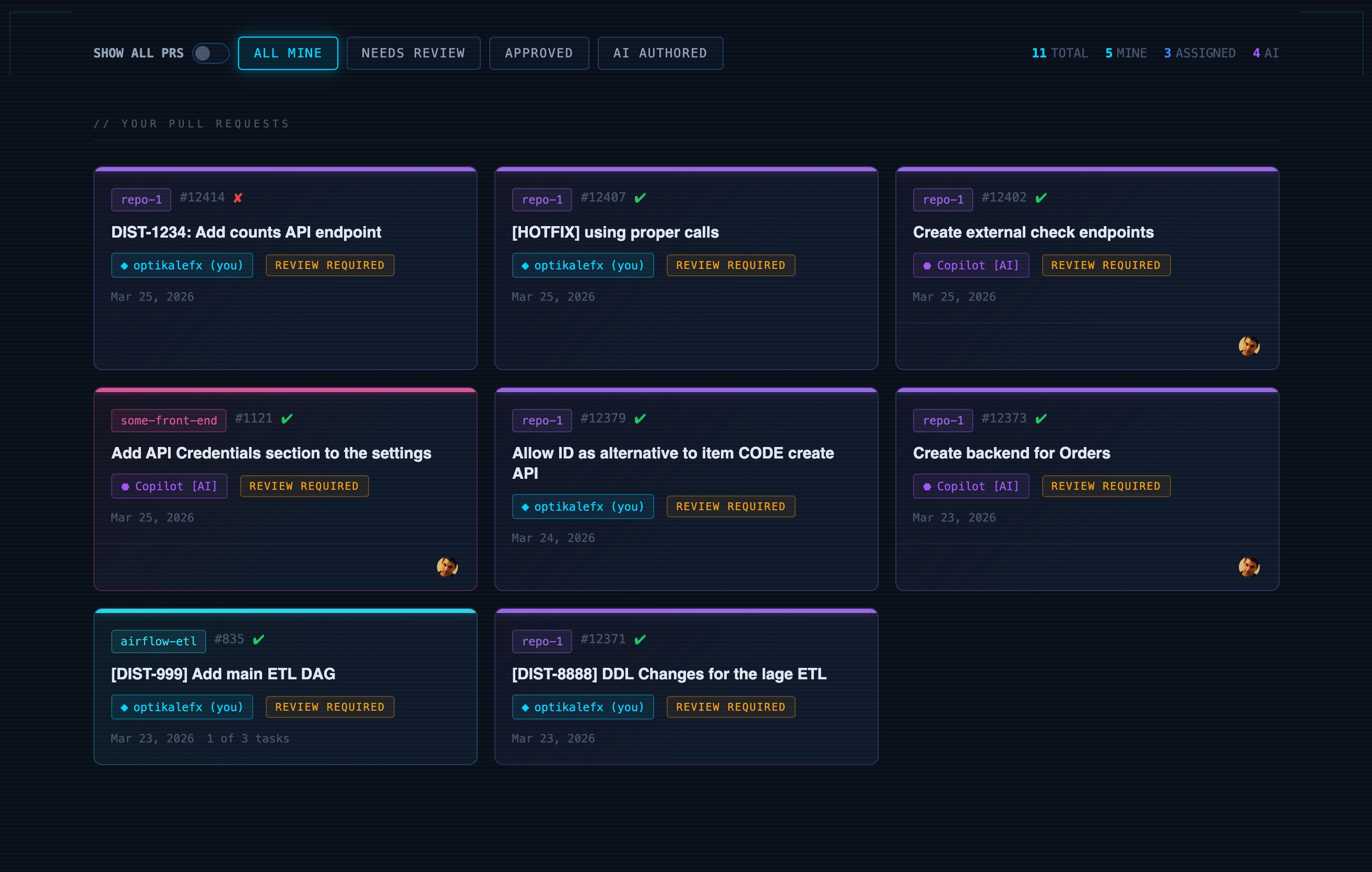
A chrome extension that transforms your GitHub PR workflow into a unified command center. Track all your pull requests across multiple repos — including those created by Copilot and other AI agents — with real-time status, filtering, and a single view of everything in flight.
What Makes It Useful
Multi-Repo Aggregation
Pull requests from every repo you contribute to, surfaced in a single sortable view. No more tab-hopping across GitHub to track your open work.
AI Agent Tracking
See which PRs were created by Copilot or other AI agents at a glance. Filter to just AI-authored PRs to review what your agents have been shipping.
Smart Filtering
Filter by status — needs review, approved, AI-authored, yours vs assigned. Counts update in real time so you always know what needs attention.
Status at a Glance
CI checks, review state, and repo context are visible on every card. Spot failures and blocked PRs instantly without clicking into each one.
How It Works
Install the Chrome Extension (Not listed yet)
Once I deploy this thing, all you need to do is install it.
See Everything in One Place
Your PRs, assigned reviews, and AI-authored changes are aggregated into a single dashboard with repo labels, status badges, and check results. Just head to https://github.com/pulls to see it transformed
Filter and Focus
Toggle between views — all mine, needs review, approved, AI-authored — to zero in on what matters right now. Counters show you the full picture at all times.
Stay on Top of Your Agents
As Copilot and other AI agents open PRs on your behalf, they show up here automatically. Review, merge, or close — all from one screen.
Take command of your PRs
Stop context-switching between repos. One dashboard for everything you and your AI agents have in flight.
View on GitHub