Import everything
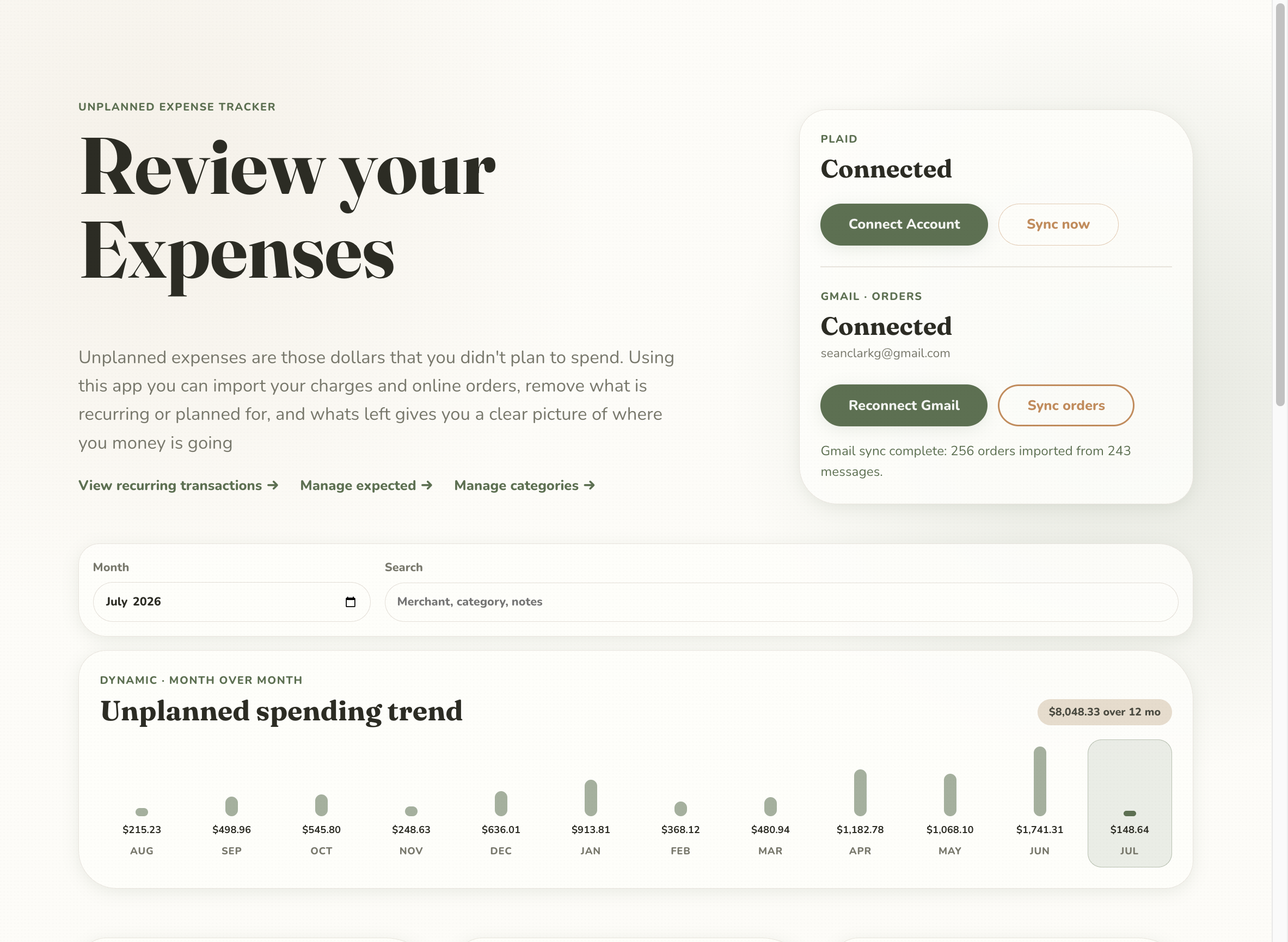
Plaid syncs your bank and card transactions, while a read-only Gmail connection pulls the itemized Amazon orders behind those vague charges — so a $190 line becomes the actual thing you bought.
Where the heck is my money actually going?
It's great to have a budget — but does that budget match reality? This app imports your charges and online orders, removes everything recurring or planned for, and whatever is left is the real answer: your unplanned spending, by month, category, and merchant.
THE PROBLEM WITH BUDGETS
You can plan every dollar and still wonder why the account is lower than it should be. The spending that hurts is the spending you never accounted for — the impulse Amazon order, the extra takeout, the "just this once." Unplanned Expenses exists to make that invisible category visible.
THREE STEPS TO THE REAL NUMBER
Plaid syncs your bank and card transactions, while a read-only Gmail connection pulls the itemized Amazon orders behind those vague charges — so a $190 line becomes the actual thing you bought.
Mark merchants as recurring — Netflix, Spotify, the gym — and set what you plan for. Everything known and expected drops out of the picture so it can't hide the outliers.
What remains is your true unplanned spend, charted month over month and broken down by category and top merchant — the clear picture of where the money really went.
AI-DRIVEN CATEGORIES
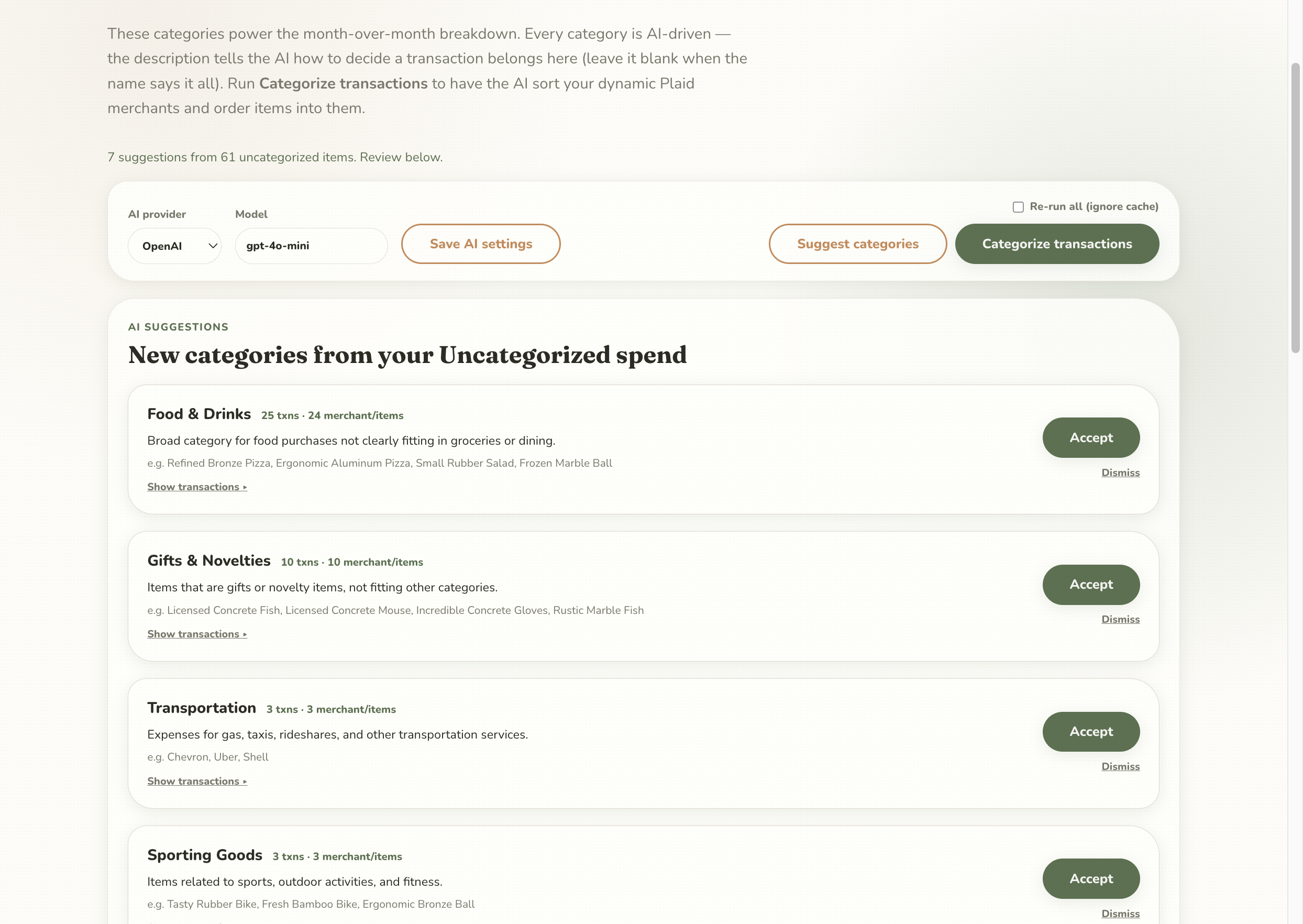
Every category is powered by a plain-English description that tells the AI how to decide what belongs in it. Run Categorize transactions and it sorts your dynamic Plaid merchants and Amazon order items automatically — then suggests brand-new categories from whatever is still uncategorized.


RECURRING, HANDLED
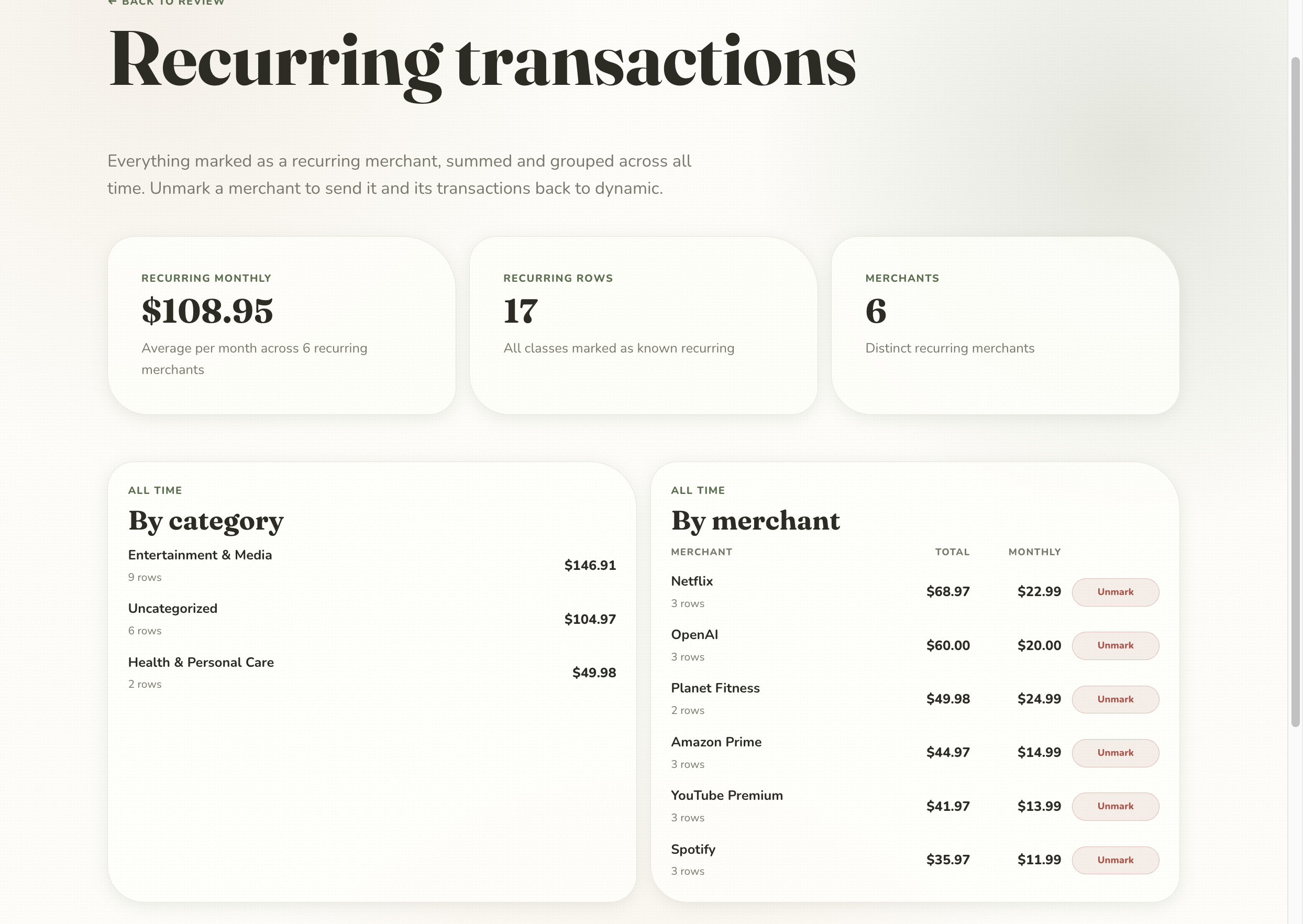
Everything marked recurring is summed and grouped across all time, by category and by merchant, with a true monthly average. It's both a tidy subscription audit and the exact pile of spending that gets subtracted from your unplanned view.
THE WORKBENCH
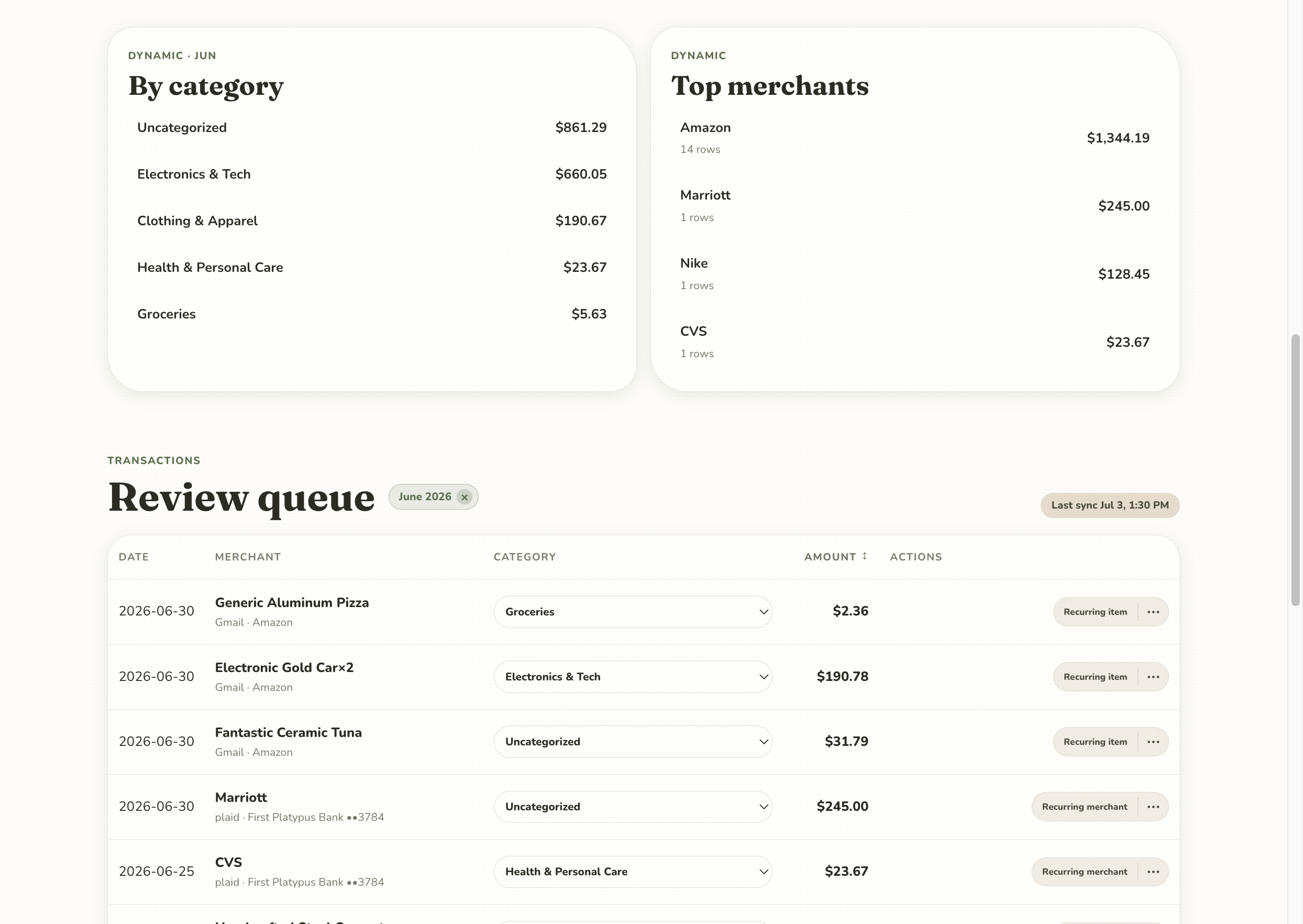
Each transaction shows its source — plaid for a bank charge, Gmail for an Amazon order — with an inline category dropdown and one-tap actions to mark an item or a whole merchant recurring.
Filter by month, search across merchant, category, and notes, and watch the by-category and top-merchant summaries update as you go. It's designed to clear a month of spending in a couple of minutes.
UNDER THE HOOD


RUN IT YOURSELF
This one is deliberately not a service. It runs on your own Convex, your own Plaid keys, and your own Google project, so your financial data never passes through anyone else. Light technical knowledge and the README will get you there.